Automated labs deployments
We’ve been having a bit of a tidy up in the AWS sandbox recently, and one thing we’ve found is that for most of this stuff it’s not clear why it’s there or who put it there.
I’ve made a thing to make it easy to ensure that labs stuff is brought up with ownership labels, here it is as a minimum:
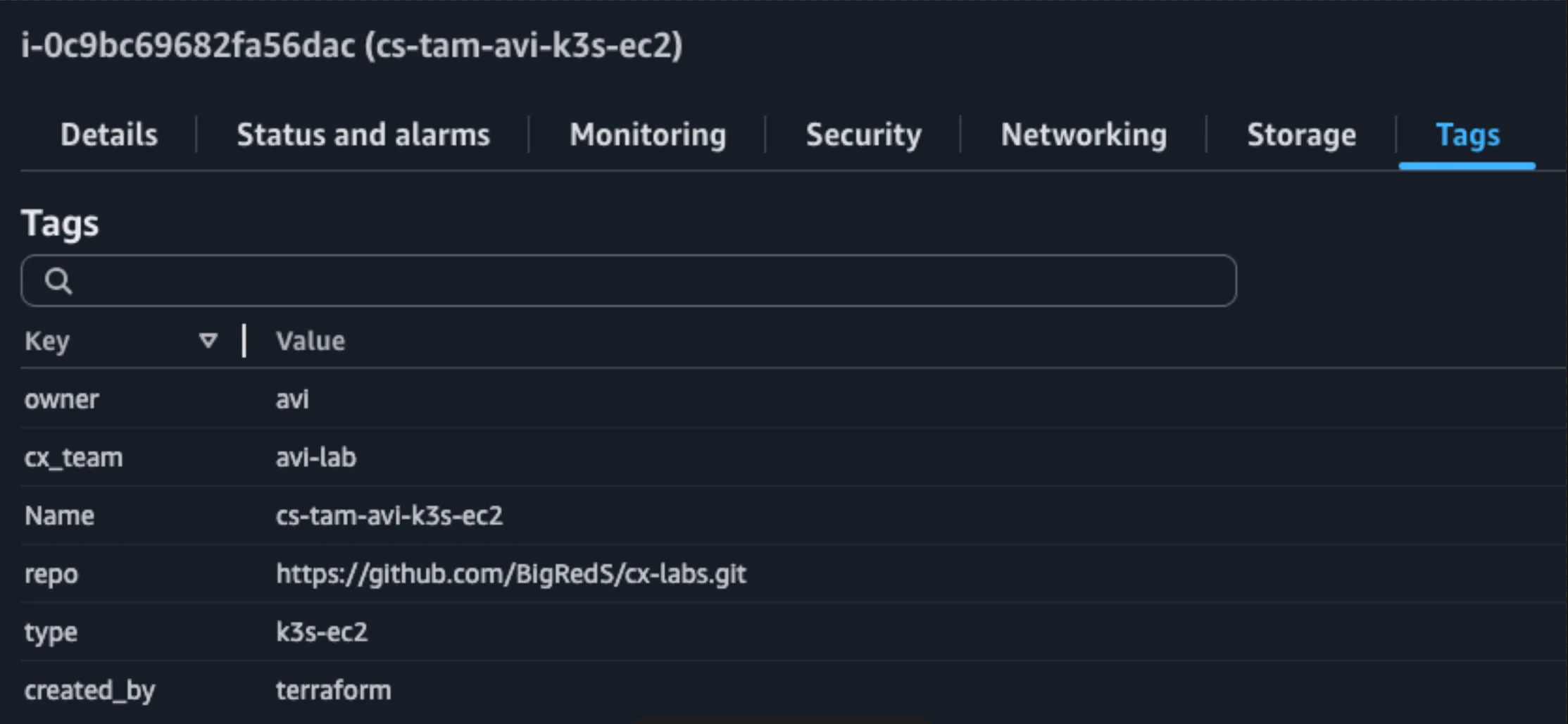
This feels like a job for some automation, and I think there’s a few more wins we can get:
- Accountable - need to know who made what
- Broad - must be a general approach rather than a specific tool
- Cheap - default to using a sensibly low amount of resource
- Disposable - simple to create, trivial to remove
- Easy - solve problems, don’t create them
- Fast - single trigger for the whole creation process, single trigger to tidy up
- G … repeatable - delete it on Monday, get it back on Wednesday
We already have a cx tool that can retrieve information about customers and set useful environment variables, so all we need to do is interact with those variables.
I’ve settled on three tools to use for this:
Tofu/Terraform
- Can control AWS infrastructure
- Simple build/delete
- Everything else can act on TF resources, nothing else needs to be able to delete
Ansible:
- The Cloud is just a Linux box underneath
- More reliable and understandable than plain ssh
Simple shell wrappers
- Helm install
- Kubectl apply
- etc.
And as our interface, we’ll mostly bank on those environment variables to get the current user, who they’re doing this for and why, we should be able to get this up without asking any hard questions:
- Use
$USERor$USERNAMEor, finally,$(hostname -f)to identify who is running this - Optionally use
$CX_TEAM_NAMEto identify which team this work is being done for - Generate a
thing_namefor naming all the things according to a consistent pattern - Query AWS to get the default VPC and subnets
- Poke about in
~/.sshto find a keypair to use - Always
tf init, always approve the plan
With these thoughts, we should be able to non-interactively bring stuff up. The cx tool is what will set $CX_TEAM_NAME so we should just proceed without that in its absence.
This turned into CX-Labs, a Coralogix-tilted tool that’s probably trivially easily adjustable to any other environment.
There’s a directory per kind of lab, and in each one make up brings it up and make destroy takes it away again.
There’s currently:
- k3s-ec2: a single-node k3s on an EC2 VM, with the OpenTelemetry demo and Coralogix’s chart. Much quicker than EKS when you don’t need anything EKS-specific.
- eks: the same, but on a proper EKS cluster.
- ecs-ec2 and ecs-fargate: ECS clusters with the Coralogix integration, running tiny-telemetry or jpetstore.
- postgres: k3s running George Pickers’ Tracey Reloaded.
Setting a team name gives each lab its own workspace, so you can run two of the same lab at once.
The README has the details. Remember to make destroy when you’re done :D